Artificial Intelligence
AI, privacy, and data protection: what you can do with customer data
Non-personal text, drafts, and ideas are safe to put into AI tools, while your customers' personal data should be anonymized or kept out. To use AI on personal data responsibly, set up four things: a business-tier tool with training turned off, a data processing agreement with the vendor, an updated privacy policy, and, for higher-risk uses, a privacy risk assessment.
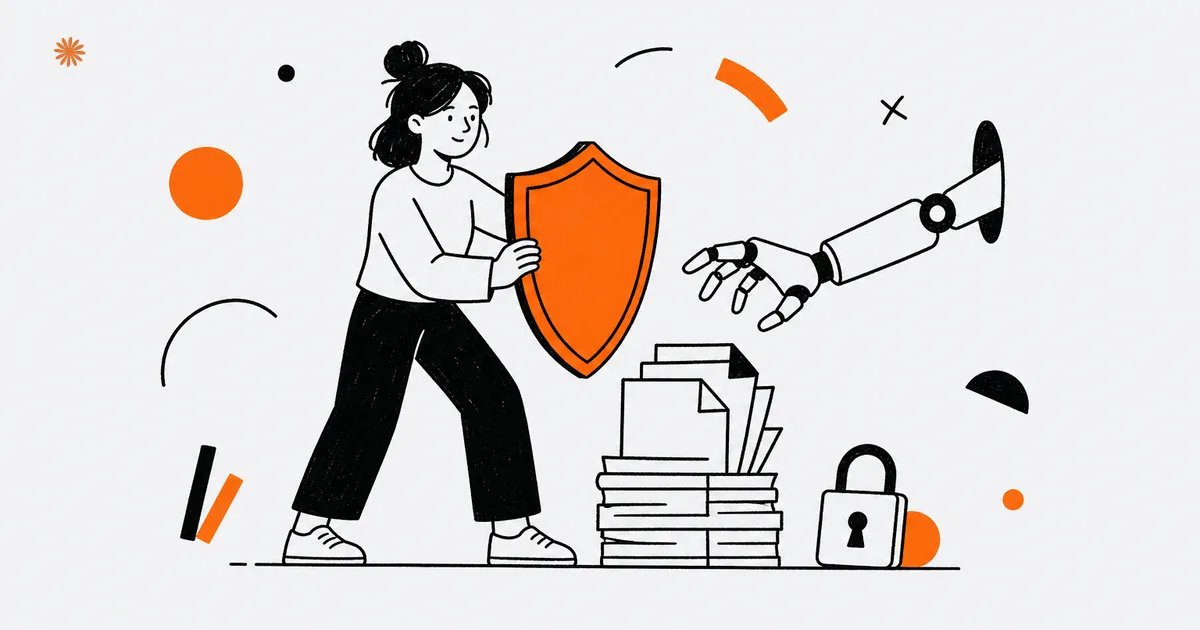
With AI tools you can freely use public text, drafts, and ideas, while your customers' personal data should be anonymized or kept out entirely. To handle that data responsibly you need four things: a business-tier version with real guarantees on how data is used, a data processing agreement with the vendor, an updated privacy policy, and, in the more sensitive cases, a privacy risk assessment.
AI adoption in US businesses is climbing fast: between 17% and 20% of US businesses reported using AI in any business function (US Census Bureau, 2026). The more people use it, the higher the odds that data which should never leave the company gets pasted in by reflex. Here is what you can upload without a second thought, what to keep out, and the practical steps that keep your business on the right side of the rules.
Which rules apply when you use AI with data?
In the United States there is no single federal privacy law, so what applies depends on where your customers are and what data you handle. The two pillars for most businesses are state privacy laws, led by California's CCPA/CPRA, and the FTC's authority over unfair or deceptive practices. The fact that a process is "automated" or "AI-powered" does not put it outside those rules.
The CCPA (California Consumer Privacy Act), as amended by the CPRA, governs how businesses collect and use the personal information of California residents, meaning any information that identifies a person. According to the California Attorney General, the law applies to a for-profit business that meets at least one threshold: more than "$25 million" in gross annual revenue; buying, selling, or sharing the personal information of 100,000 or more California residents or households; or deriving 50% or more of its revenue from selling California residents' personal information. Other states have passed their own laws, so your obligations can stack depending on your customer base.
On top of state law sits the Federal Trade Commission. The FTC enforces against unfair and deceptive practices, and it has signaled that this reaches AI directly: a company that quietly rewrites its privacy policy to start training on customer data, or that uses data in ways its promises did not allow, can draw an enforcement action. The direction is consistent across both: be transparent with people, collect only what you need, and stand behind what you promised.
Specific thresholds, duties, and deadlines (which state laws apply to you, CCPA/CPRA obligations, FTC guidance, and any new rulemaking) change over time and vary by where your customers live. Before you make operational decisions, verify the current law and, for sensitive cases, consult qualified counsel. This article is general information, not legal advice.
What can you safely put in a prompt?
You can freely put anything that does not identify a person: text that is already public, drafts, ideas, generic examples, and internal data that is aggregated or anonymized. AI works on that material with no privacy strings attached, because no personal data is in play. This is the zone where you use the tool to the fullest, without worry.
In practice you can have it draft an email, summarize a public document, generate ideas for an article, rewrite a product description, or lay out the structure of a document. All of these involve content that is yours or public and that does not concern identifiable people. If you need to work on a real case, swap names, amounts, and identifiers for generic placeholders ("the customer", "invoice X"): you get the same result without exposing data. For a broader view of where AI pays off in your operations, start with the guide to AI for your business.
What should you never put into AI tools?
Do not upload your customers' personal data, sensitive data (health, financial situation, anything people consider private), or confidential documents like contracts, filings, or anything covered by a duty of confidentiality. The risk is not theoretical: that data can slip out of your control, be retained by the vendor, or be used to train the model.
The trouble is that pasting data into AI has become a reflex. Someone copies an email with a client's details to get a quick summary, or pastes a contract to have a clause explained: fast moves that, on a public tool, are the same as letting that data walk out of the company. Each of those small actions can turn into a privacy problem you never meant to create, which is exactly the kind of slip the FTC has warned about.
The practical rule is simple: before you paste, ask whether the text identifies a person or is confidential. If the answer is yes, anonymize it (strip names, amounts, identifiers) or do not upload it at all. And if you are unsure how reliable the AI's answer is, remember it can also make things up, which is why your own data and review still matter, the idea behind RAG on your company data.
Never use a free personal account to work on customer data. On those versions your content can be retained and used to train the model: it is the fastest way to lose control of a piece of data.
Which practical steps should you set up?
Three steps cover most situations: use the business or enterprise version of the tool (with model training turned off), sign a data processing agreement with the vendor, and update your privacy policy to say you use AI. These are one-time moves that put your day-to-day use on solid ground.
The first is the right edition of the tool. Business and enterprise plans exist precisely because they offer different guarantees: they generally let you turn off the use of your content for training and set clearer retention rules. It is the first safeguard, and on its own it removes much of the risk you carry with a free account built for the general public.
The second is the DPA (data processing agreement, sometimes called a data processing addendum), the contract in which the vendor commits to handling data on your behalf and only as instructed. If the AI processes your customers' personal data, the vendor is acting as your service provider, and this agreement should be signed and kept on file: business vendors usually make one available, you just have to accept and store it. The third is your privacy policy: people whose data you collect have a right to know how it is used, so if you run AI on personal data, say so in the notice you give customers and contacts.
- Business version, no training: use the business edition and turn off the use of your data to train the model.
- DPA with the vendor: sign and keep the data processing agreement, so the vendor operates as a service provider bound to use your data only as instructed.
- Updated privacy policy: state in your privacy policy that you process data with AI and for which purposes.
When do you need a privacy risk assessment?
A privacy risk assessment makes sense when a process could pose a heightened risk to people, for example when you handle data at large scale, sensitive data, or use AI for decisions that affect people. It is a forward-looking review that describes the processing, weighs the risks, and sets out the measures to reduce them. California's CPRA points businesses toward exactly this kind of assessment for higher-risk uses.
You do not need a full assessment for every use of AI, but it becomes the right move when you combine AI and personal data in higher-risk scenarios. Typical examples: automated profiling of customers, analysis across large volumes of personal data, or systems that influence consequential decisions. When you are in that territory, the assessment should be done before you start the processing, not after.
Whether your case calls for one depends on the nature of the data and the purpose: a judgment best made with a privacy professional, especially if you handle data on many people or sensitive categories. For service businesses weighing where AI fits, the overview in AI for small businesses is a useful starting point.
The precise triggers for a formal risk assessment, and the form it must take, are set by state law (such as the CPRA) and ongoing agency rulemaking, and they keep evolving. Before deciding whether your processing requires one, verify the current rules and assess it with qualified counsel. Not legal advice.
What mistakes should you keep your team from making?
The two most common mistakes are using free personal accounts to work on company data and copy-pasting customer data into public tools for convenience. Both come from being in a hurry, not from bad intent, and you prevent them with one clear rule and a company tool everyone can reach.
The first is "shadow AI": team members using their personal account to move faster, without the company knowing. You fix it by giving everyone the right tool, the business version, and explaining why it matters. The second is pasting real data out of laziness: the cure is the habit of anonymizing before uploading, made easy with a few concrete examples. A single internal page ("what you can and cannot put into AI") is worth more than a blanket ban.
If AI in your business also touches customer contact, for example an assistant on your site, the same rules apply to the data collected there. The principle never changes: AI speeds up the work, but the responsibility for the data stays with you and is governed with a few simple rules that everyone actually follows.
Write a one-page internal guide: what can go into AI, what cannot, and which tool to use. It is the fastest way to align the team and keep anyone from improvising with sensitive data.
Want to use AI in your business without exposing your customers' data? We set up the tools, rules, and safeguards that fit your business, in plain terms your team can actually apply.
Let's talkFrequently asked questions
- Can I use ChatGPT with customer data?
- Only with caution. On free personal accounts your content can be retained and used to train the model, so keep customer data out. Use the business version with training turned off, or anonymize names and identifiers before uploading. When in doubt about sensitive data, do not upload it.
- What is a DPA?
- A DPA (data processing agreement) is the contract in which an AI vendor commits to handling data on your behalf and only as instructed, acting as your service provider. If the AI processes your customers' personal data, it should be signed and kept on file: business vendors usually make one available.
- Do I have to update my privacy policy if I use AI?
- Yes, if you process personal data with AI. People have a right to know how their data is used, so your privacy policy should state that you use AI systems and for which purposes. It is a one-time update that makes the processing clear to customers and contacts.
- Does the CCPA apply to my business?
- It depends on size and activity. The California Attorney General says the CCPA applies to a for-profit that meets at least one threshold, including more than "$25 million" in annual revenue or handling the personal information of 100,000 or more California residents. Other states have their own laws, so verify your situation.
- When do I need a privacy risk assessment?
- When a process could pose a heightened risk to people: sensitive data, automated profiling, or large volumes of personal data. California's CPRA points to this kind of assessment for higher-risk uses, and it should be done before you start. Get a privacy professional to confirm whether your case qualifies.
Sources
- California Attorney General — California Consumer Privacy Act (CCPA): who must comply ("$25 million" revenue, 100,000+ residents, 50%+ revenue from selling personal information)
- Federal Trade Commission — enforcement against unfair and deceptive practices, including AI and customer data
- US Census Bureau — Business Trends and Outlook Survey: AI use in business (17%–20% of US businesses use AI in any business function), 2026

DigitiNexus — Web & Design Agency
We are a team of designers and developers specialized in SEO, Next.js and digital growth for professional firms, small businesses and startups, in the US and beyond. We build websites that bring real traffic and real clients.