Artificial Intelligence
AI for small businesses: 5 automations that save you hours
For a small service business, AI saves hours on the work around the work: around-the-clock customer support, lead qualification, replies to text messages, automatic follow-ups, and inbox triage. Five concrete automations you can hand off without hiring anyone, built on top of the tools you already use.
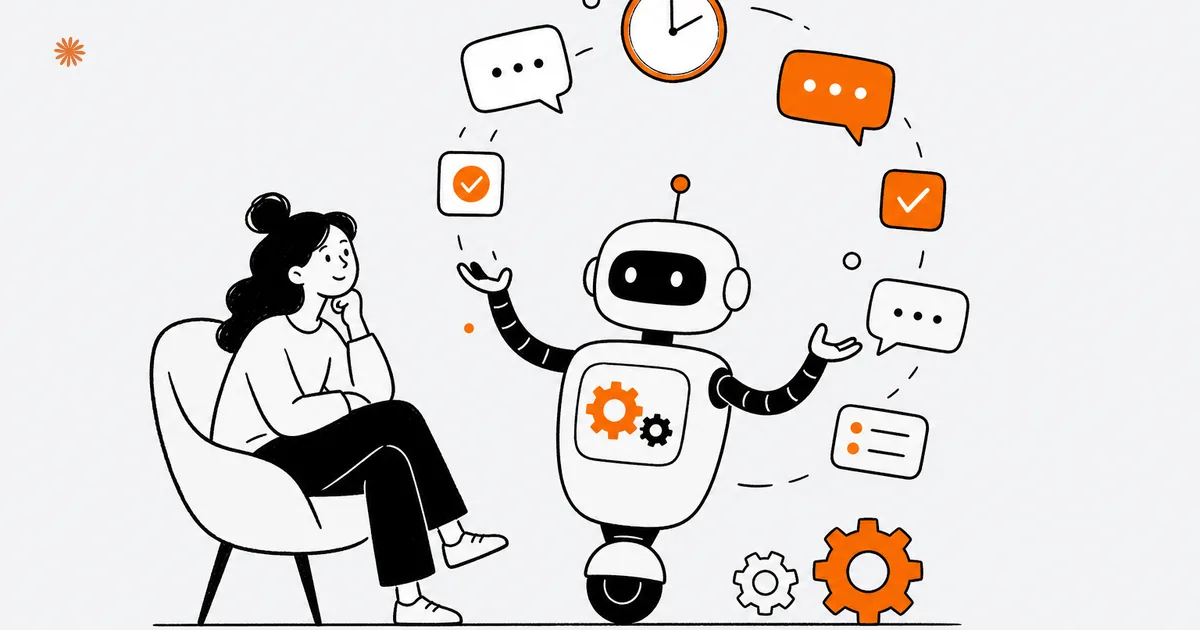
A small service business does not lose time on the actual work: it loses time on everything around it. Answering the same questions, qualifying contacts that will never close, remembering to call people back, sorting email. Those tasks are repetitive and predictable, and that is exactly where AI works best. Here are five concrete automations that take hours off your plate every week.
None of these asks you to overhaul how you work or hire a technical team. They are targeted add-ons on top of the tools you already use: your website, your inbox, your text messages, your CRM. For the bigger picture of what AI can and cannot do in a business, start with AI for your business. Here we get practical, one automation at a time.
How do you cover customer support around the clock?
Put an AI assistant on your website that answers recurring questions at any hour, including nights and weekends. It handles your hours, ballpark pricing, how you work, and turnaround times, leaving you only the requests that genuinely need a person. Someone shopping for a service will not wait until Monday morning: they find an answer right away.
Most of the questions you get are repetitive: "do you work outside my area?", "how long does it take?", "how does the first appointment work?". A chatbot connected to your own information handles that whole tier on its own, and when an out-of-the-ordinary request comes in, it hands it to you with the summary already written. The result is not less human contact: it is human contact where it counts.
The practical difference between an assistant that reads from your documents and one that improvises is huge: the first quotes your real policies, the second makes things up. The around-the-clock front desk is usually the first brick to lay, and the one with the fastest payback, because it catches interest the moment it shows up instead of letting it cool off overnight.
How do you qualify leads automatically?
Have an AI step read every inquiry that comes in from your site, pull out the useful details (name, contact, need, rough budget), and assign a priority level. The record lands in your CRM already clean and organized. You open only the contacts worth your time, instead of reading twenty emails to find the three good ones.
The problem for a small service business is not a shortage of contacts: it is that they arrive all mixed together. The serious client sits in the same inbox as the tire-kicker, the vendor pitching you, and the spam in disguise. AI reads the message in plain language, understands what it is about, and tells you whether it is hot or lukewarm. You move first where it matters, while the lead is still interested.
This flow lives on top of a well-built contact form: if your site already collects the right information, AI has material to work with. The principle is simple: the site collects, AI sorts, you close. When the goal is also to fill your calendar without back-and-forth, pair it with AI booking and lead capture so the qualified lead can grab a slot on the spot.
Can AI handle your text messages?
Yes, and texting is often the channel that pays off most, because it is where small-business customers actually reach out. An AI assistant connected to your business texting line handles the first replies, collects the details of a request, and books or proposes an appointment, passing you the conversations that need judgment. No customer left "on read" for hours.
In a lot of service trades the phone is inconvenient and email feels formal: people just send a text. The catch is that texts arrive at all hours, and answering the same five questions by hand drains your day. An assistant on the channel handles the repetitive part (hours, availability, basic info) and keeps the conversation alive until you step in.
Use a compliant business texting platform with proper opt-in, not a personal number wired to unofficial tools: you risk getting your number flagged or blocked. The golden rule is the same as on-site support: AI answers what it knows for certain and hands off to a person when the request goes off-script.
How do you automate follow-ups and reminders?
Build a flow that, after a quote or a first contact, sends the follow-up message on its own at the right moment. No more clients lost because you forgot to circle back. AI can even draft the follow-up text, adapting it to the conversation, leaving you only the approval before it goes out.
Follow-up is the first thing that slips when you are slammed, and it is also what closes deals. A quote sent and never followed up on is almost always a lost client. An automation keeps the thread for you: three days after the estimate a reminder goes out, a week later a second touch, and you get an alert the moment the client replies.
You build this without writing code, connecting your CRM or calendar to an automation platform. For how these flows get assembled across the tools you already use, see the practical guide to no-code AI automation. The principle: the machine remembers, you decide what to say. For anything going out under your name, it drafts and you confirm.
Can AI sort your inbox for you?
Yes: an AI step reads your incoming mail, classifies it by topic and urgency, writes a two-line summary, and routes it to the right inbox or person. Long emails become scannable at a glance, and the ones that need action rise to the top. You open your inbox and immediately know what to handle first.
The inbox is the classic bottleneck for a small business: everything passes through it, all jumbled. A client's urgent request sits next to a newsletter and an order confirmation. AI does the tedious work of reading and ordering: it recognizes what a message is about, pulls out the point, and puts it where it belongs. You stop scrolling and start deciding.
| Automation | What it takes off your plate | Where it connects |
|---|---|---|
| Around-the-clock support | Answers to recurring questions | Website |
| Lead qualification | Reading and sorting contacts by hand | Site form + CRM |
| Text replies | First responses and data collection | Business texting line |
| Automatic follow-ups | Remembering to circle back | CRM or calendar |
| Inbox triage | Scrolling and summarizing mail | Email inbox |
None of these replaces your judgment: AI reads, sorts, summarizes, and drafts, but the decisions and the messages that matter stay yours. That is the difference between delegating the boring work and delegating responsibility. The first is always worth it, the second is not.
Where should you start?
Start with a single automation, the one that steals the most time or loses you the most clients. For nearly every small service business that is on-site support or follow-up: they come back every day and have a payback you can measure fast. Once it works and you trust it, add the second. Never switch everything on at once.
The reason is practical: you can only test an automation, correct it, and learn to trust it if it is one at a time. Pick a high-return, low-risk case where a mistake does no serious damage (an internal summary before an automatic send to a client). Measure how much time it gives back: that number is what tells you whether to keep going or change course.
There is room to move early here. Between 17% and 20% of US businesses reported using AI in any business function (US Census Bureau, 2026), which means most of your competitors have not started yet. The rule that holds for all five: one concrete case, measured, before you add the next.
Want to figure out which of these five automations is worth starting with for your business, and what return to expect? Let us look at your processes together and pick the first high-value case.
Let's talkFrequently asked questions
- Do you need technical skills to start?
- No for the basic cases. Automation tools and AI assistants are built for people who do not code: you work with visual blocks and ready-made templates. A developer helps once flows get complex or connect to unusual systems, but to switch on your first automation, templates and a bit of method are enough.
- Does it integrate with my CRM?
- In most cases, yes. Automation platforms act as a hub between your tools and connect to the common CRMs, so a qualified lead arrives clean in your system. For uncommon software the integration needs a check first, but for popular email, calendar, and CRM tools it is almost always ready to go.
- How much does it cost to start?
- It depends on how many automations you switch on and your volume of requests, and platforms scale in price with use. The biggest line item is the initial setup time, not the subscription. Start from one high-return case and measure the hours saved before expanding, so the investment pays back on a concrete result.
- Will AI replace the human touch with my clients?
- No. AI handles the repetitive tier (hours, basic info, first replies) and hands off the moment a request needs judgment. Done right, it frees you to spend real attention where it counts instead of on the same five questions, so clients reach a person faster, not slower.
Sources

DigitiNexus — Web & Design Agency
We are a team of designers and developers specialized in SEO, Next.js and digital growth for professional firms, small businesses and startups, in the US and beyond. We build websites that bring real traffic and real clients.