Artificial Intelligence
AI for professional firms: 7 practical uses (with the right caution)
AI saves professional firms hours on research, drafts, and data extraction, but it has to be used with care. Confidentiality, source verification, and your profession's ethics rules stay mandatory, and the responsibility stays with you, not the tool.
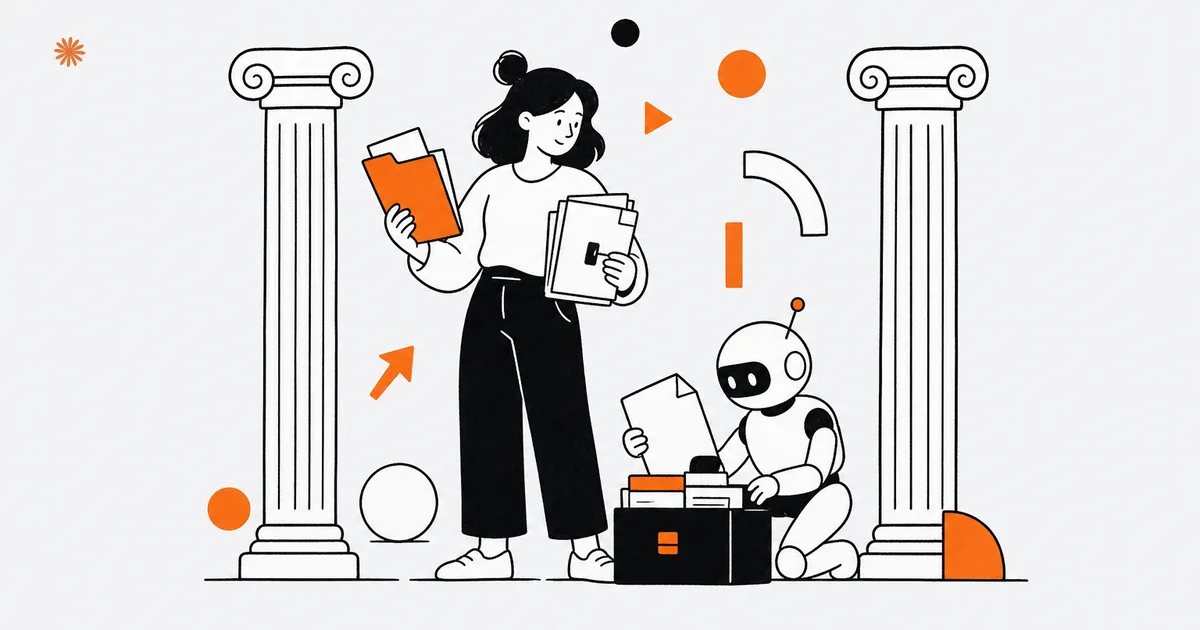
AI helps professional firms strip out hours of repetitive work on research, drafts, and data extraction. An attorney, a CPA, or an architect can use it to prepare first versions of documents and to summarize long files. It stays an assistant, though: verification, confidentiality, and your responsibility to the client are and remain yours.
Adoption is moving fast in professional services. Among finance professionals, 88% believe AI will be the most transformative technology in accounting and finance over the next 12 to 24 months, yet only 8% feel very well prepared for it (AICPA & CIMA). Firms sit inside this wave with one extra constraint compared to an ordinary business: they handle privileged, sensitive data and answer to a code of professional conduct. That is why the "how" matters more than the "whether".
Where does AI actually help a firm? 7 practical uses
AI pays off most where the work is recurring and low value: preliminary research, first drafts, summaries, pulling data out of documents, email triage, bookkeeping support, and first contact with a prospect. In each of these it produces a starting point in minutes, which you then review, correct, and make your own before you use it.
The logic is always the same: AI shortens the mechanical part, you supply the professional judgment. An attorney does not hand over case strategy, but can have the structure of a brief drafted. A CPA does not delegate a tax position, but can have the figures pulled from twenty invoices at once. Here are the seven uses.
1) Preliminary research on a topic
AI gives you a fast first orientation on a subject: it explains a concept, summarizes the key points of an issue, and suggests where to look. For an attorney opening a matter in an unfamiliar area, or a CPA facing an unusual case, it is a way to frame the problem in minutes. One warning: what it returns is a lead, not a source. Statutes, case law, and figures always have to be found and verified against the official source, because the tool can cite authorities that do not exist.
2) First drafts of documents and letters
Generating the first version of a client letter, a firm-wide update, a memo, or a standard agreement is one of the uses that saves the most real time. A CPA drafts a client alert on filing deadlines in two minutes instead of half an hour, then reviews and signs it. An architect sets up the structure of a project narrative or a basic specification. The draft is quick to fix, which is exactly why it is a low-risk task, as long as you never send it out without rereading it.
3) Summaries of long documents
Summarizing a fifty-page contract, an expert report, or a thick file is a task AI does well and fast. It hands you the key points and flags the clauses or line items that deserve attention, so you read closely where it counts. It stays a first filter, not a substitute for reading: on an important document you still read the full text, because a summary can drop the one detail that changes everything.
4) Extracting data from documents
Pulling amounts, dates, names, and line items out of invoices, receipts, contracts, or forms is repetitive work that AI cuts down noticeably. For a CPA it means less copy-paste and fewer transcription errors in the books. For an architect it means extracting quantities and items from a takeoff. Here too the extracted data has to be spot-checked against the original: extraction is fast but not infallible, and on numbers that end up in a return or a filing, an error is not acceptable.
5) Email triage and handling
AI helps you keep the inbox under control: it summarizes long messages, proposes draft replies for recurring requests, and flags urgent email. For a firm buried in client communication it means replying sooner and spending less time reading endless threads. The proposed replies still need review, especially when they contain commitments, deadlines, or assessments: the signature is yours, and with the signature comes the responsibility.
6) Support for bookkeeping and admin
On the administrative side AI speeds up recording and classification: it matches documents to the right accounts, drafts descriptions, and sorts transactions. This is classic CPA-firm territory, where we cover what is actually worth automating in AI for CPAs and accountants. The underlying rule does not change: AI proposes, the professional checks and approves, because accounting and tax responsibility stays human.
7) First contact with a prospect on your site
On the firm's website an automated assistant handles first contact: it answers recurring questions about hours, services, and process, collects the details of whoever reaches out, and books a first appointment, even after hours. It filters inquiries and passes along only the ones that deserve attention, without promising advice in the professional's place. This use only makes sense on a solid foundation: see how a professional services firm website should be built.
Rule of thumb: use AI for the first draft and for repetitive tasks, and always keep the last word on numbers, deadlines, legal authorities, and any communication that commits the firm.
Which limits can you not ignore?
Three limits always apply to a firm: AI sometimes makes things up, it handles confidential data, and it operates inside the rules of your profession. Ignore them and a time saver turns into a real risk, because an error in a document, a data leak, or an ethics breach costs far more than the hours you gained.
The first limit is verification. AI can produce confident answers even when they are wrong, citing rulings, code sections, or figures that do not exist. This is the "hallucination" problem, the tendency of models to generate information that sounds plausible but is false. On a client matter that is not a detail. To understand why it happens and how to check the output, start from the guide on AI hallucinations: every legal or regulatory reference has to be found at the source before you use it.
The second limit is confidentiality. Client data stays personal data, often privileged, and protections such as CCPA and CPRA apply on top of your duty of confidentiality. Uploading a pleading, a report, or a financial document into a public tool without knowing where it goes and whether it is used to train the model is a real risk. The criteria for handling this well are in our guide to AI, privacy, and data protection.
The third limit is professional responsibility. Every profession has its own rules on confidentiality, advertising, the client relationship, and liability, and using AI does not suspend them. Before you adopt a tool in a structured way, it pays to confirm what your governing body requires: it is a check you do once and it saves you trouble for a long time.
Confidentiality and ethics check (confirm before publishing): before any client data goes into an AI tool, verify your profession's confidentiality and ethics rules. Attorneys should check ABA Model Rules and their state bar; CPAs the AICPA Code of Professional Conduct; architects the AIA Code of Ethics. When in doubt, anonymize the data, keep it out of public tools, or consult counsel.
General-purpose tools or industry-specific ones?
For most firms it makes sense to start with a general-purpose tool, the one you use to write and summarize, and move to an industry-specific solution only when a particular process truly justifies it. Vertical tools for legal or accounting work cost more and pay off when the volume of repeated work is high and recurring.
A general-purpose tool already covers drafts, summaries, email, and preliminary research well: you learn it fast and try it across many different tasks. A vertical solution comes into play when you have a precise, repeated process, for example analyzing many similar contracts or extracting accounting data in bulk, where integration with your practice software earns back the higher cost. The test is not "is it built for lawyers", it is "does this task come up often enough to justify the spend".
In short: do not buy the most powerful tool just to have it. Choose by starting from the task that weighs on you most, try the simple version, and move to a vertical only if the numbers tell you it is worth it.
How do you start safely?
To start safely, use the business or professional tier of these tools (not the free one), work with anonymized data where you can, pick a single low-risk process, and measure for a few weeks before you expand. That way you get a real advantage without exposing the firm to confidentiality or ethics problems.
Business and professional tiers exist precisely because they offer different guarantees on data handling and model training than the free tools built for the general public. That is the first safeguard, alongside the habit of anonymizing names and identifiers when you upload a document for a summary or an extraction. For the specific rules, always point back to the dedicated guide on AI, privacy, and data protection, and on the most sensitive data, when in doubt, confirm with counsel.
On method, start small. Pick one problem that repeats every week, run it for two or three weeks while you note the time saved and the errors avoided, then decide on the data: if the gain is there you lock it in, otherwise you switch tasks. This is the approach that builds internal skill, which is still the real brake today, since only a small share of professionals feel very well prepared for AI even as most expect it to reshape the work (AICPA & CIMA).
- Pick a single low-risk process, for example drafts of recurring emails or summaries of non-confidential documents.
- Use the business tier and anonymized data where you can, and avoid uploading sensitive documents into public tools.
- Measure for two or three weeks the time saved and the errors, then decide whether to expand or switch tasks.
Want to know which tasks in your firm AI can genuinely take off your plate, without risking confidentiality or your ethics rules? Let's talk it through and give you a concrete direction.
Let's talkFrequently asked questions
- Does AI replace the professional?
- No. Today AI speeds up repetitive work and prepares drafts, research, and summaries, but it needs human review on references, numbers, and deadlines. Professional judgment, responsibility to the client, and the signature stay yours. It is an assistant that frees up time, not a substitute that decides.
- Can I upload client documents into AI?
- Only with care. Client data stays personal and often privileged, protected by duties of confidentiality and laws like CCPA and CPRA. Avoid free public tools, use business tiers with clear data-handling terms, and anonymize names and identifiers where you can. On sensitive documents, when in doubt, do not upload them and check with counsel.
- Is AI allowed under professional ethics rules?
- It depends on your profession and your governing body's rules, which AI use does not suspend. Confidentiality, advertising limits, and liability stay binding. Before you adopt a tool in a structured way, confirm what ABA Model Rules, the AICPA Code, or the AIA Code require for your practice. It is a one-time check that protects you.
- Where do I start if I have never used it?
- From a single low-risk process, for example drafts of recurring emails or summaries of non-confidential documents. Use the business tier, try it for two or three weeks while you measure the time saved, then decide whether to expand. Start from the problem that weighs on you, not from the most powerful tool.

DigitiNexus — Web & Design Agency
We are a team of designers and developers specialized in SEO, Next.js and digital growth for professional firms, small businesses and startups, in the US and beyond. We build websites that bring real traffic and real clients.