Artificial Intelligence
AI for CPAs and accountants: what to automate (and what not to)
AI earns its keep in a CPA firm where the work is repetitive and rule-bound: pulling data off invoices and receipts, matching bank transactions, drafting routine client messages. That is where it saves real hours. Tax positions, judgment calls, and your signature stay human. This guide shows what to hand the tool and what to keep under your own review.
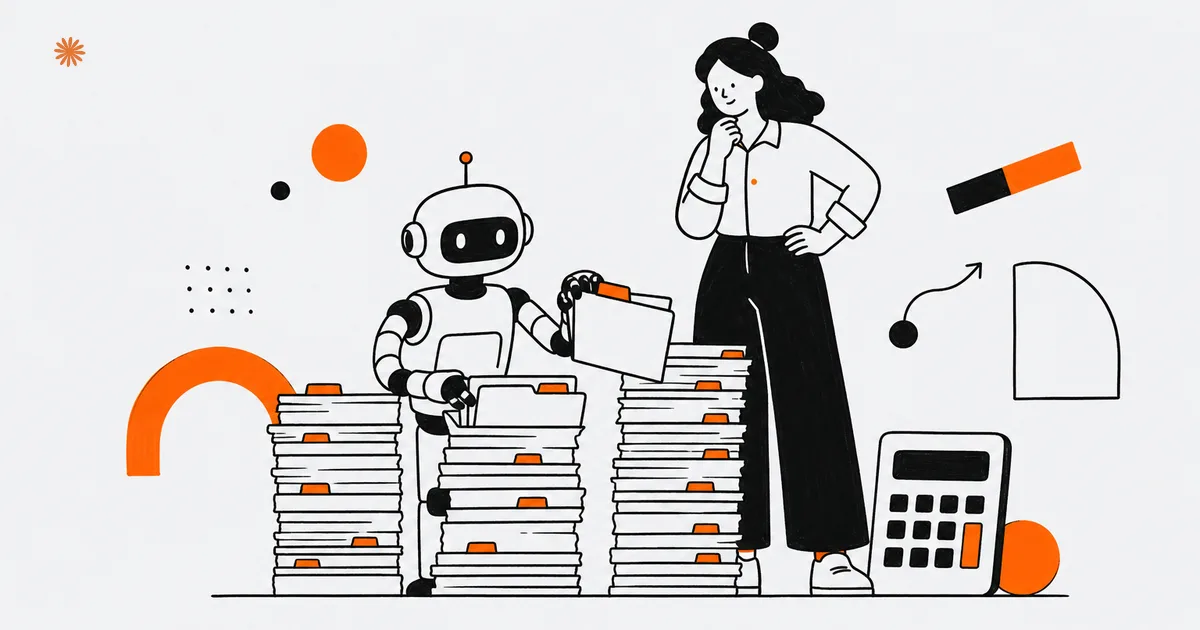
AI pays off in an accounting firm where the work is repetitive and follows fixed rules: extracting data from invoices and receipts, matching bank transactions, drafting the routine bookkeeping entries. That is where it saves real hours. Tax positions, reading the code, and the signature on the return stay yours. This guide tells you what to delegate to the tool and what to keep under human review, without the inflated promises.
The question is not whether AI enters your firm, it is where you let it in without creating risk. The gap between a firm that comes out ahead and one that regrets it almost never comes down to the software. It comes down to which process you choose to automate first and the controls you build around it.
What should a CPA firm actually automate?
Automate the repetitive tasks with stable rules: pulling data off invoices and receipts (OCR), reconciling bank transactions, posting routine journal entries, and sorting the documents clients send in. These are jobs where AI is fast and consistent, and where a human spot-check is enough to keep quality high. They share the same trait: clear patterns that repeat, which is exactly what these tools handle well.
In practice: instead of keying in the data from hundreds of invoices by hand, you let AI-powered OCR read them and propose the fields pre-filled, then you review and correct. OCR (optical character recognition) is the technology that turns a PDF or a photo into workable text. Modern OCR reads clean, typed documents reliably, though accuracy still drops on poor scans, handwriting, and odd layouts, which is exactly why a review step stays in the loop. Bank reconciliation works the same way: the tool matches account activity against invoices and flags only the cases that do not tie out, the ones that actually deserve your time.
The reason is simple: these tasks follow patterns that repeat, and that is AI's strong suit. A client newsletter, a draft collections email, a summary of a long document all come together in seconds and then get reviewed. The profession itself is moving fast: 88% of finance professionals believe AI will be the most transformative technology in accounting and finance over the next 12 to 24 months, yet only 8% feel very well prepared for it (AICPA and CIMA). The tools are maturing faster than the firms adopting them, which is precisely the opening for firms that move deliberately.
- OCR and data extraction: invoices, receipts, and documents become pre-filled data to review, not to type.
- Bank reconciliation: automatic matching of transactions, with only the uncertain cases flagged for you.
- Routine bookkeeping: recurring journal entries proposed as drafts, ready for your verification.
- Repetitive communications: drafts of client newsletters, payment reminders, and standard replies.
- Document intake: the files clients send get sorted and categorized automatically.
Working rule: automate what is repetitive and rule-bound, and always keep the final word on numbers, deadlines, and filings. AI drafts it, you sign it.
An honest caveat: AI does not erase the work, it shifts it. The hours you take back from manual entry get partly reinvested in checking what the tool produces and in setting up the workflows in the first place. The balance still comes out positive, but only because you start with tasks where an occasional error is easy to spot and fix. For the wider view of how AI fits inside a practice, start with the guide to AI for professional firms.
What should you never automate?
Do not automate advisory work, tax positions, or the gray-area calls. When a decision requires interpreting the code, weighing a specific client's facts, or taking on professional responsibility, AI can at most help you think it through. The decision and the signature stay yours. Here the tool is an assistant, not a substitute, and treating it as more than that is where firms get burned.
The reason is precise: AI generates the answer that looks most probable to it, not the one that is correct under current law. On choosing an entity structure, reading an IRS notice, or handling a borderline deduction, it can sound completely confident even when it is wrong. That tendency to invent plausible but false information has a name, "hallucinations", and it is why the output of a model is a starting point to verify, never a citation to rely on.
A concrete example: asking AI "which structure saves this client the most, an S-corp or an LLC" does not replace your analysis. The tool does not know the client's history, it does not weigh risk the way you do, and it does not answer to the client or your state board if it gets it wrong. Professional responsibility is not something you delegate to software. There is a conduct dimension too: before handing AI any task that touches advice or client information, it is worth confirming what your professional rules actually allow.
Never treat AI output as a source of truth on deadlines, rates, or how a rule applies without verifying it against official sources (IRS guidance, the code, your research service). The tool speeds you up, it does not certify anything.
How do you verify the AI's work?
With systematic human review: sampling on extracted data, alerts on the cases the tool flags as uncertain, and a full review of anything with tax or legal weight. AI does the first pass, you do the second. Skip this step and automation does not save time, it just moves the work to a messier cleanup later, usually at the worst moment in filing season.
In practice, set up three tiers of control. On low-risk data (recurring categories, regular vendors), a periodic sample is enough. On transactions the tool cannot match with confidence, check each one as it comes up. On anything that feeds a filing or a return, full verification. That way you concentrate your time where it actually matters, instead of re-checking by hand the work AI already got right.
Here is why this matters more than the tool itself: automation without verification pushes errors downstream, where they cost the most. A figure misread off an invoice, if it slips through, lands in the books and then on a return. Building the review habit is not extra overhead, it is the thing that makes the time savings real instead of a liability waiting to surface in an audit.
Is your client data safe with AI?
It can be, but not automatically. Your clients' accounting and tax data is confidential and often sensitive, and your duty to protect it does not change because you ran it through an AI tool. The risk is not the technology itself, it is using it without knowing where the data you feed it ends up. Safety depends on how you set up the workflow, not on which vendor logo is on the screen.
Three precautions hold almost always. First: use the business versions of these services, which generally do not reuse your inputs to train the model, and confirm it in the contract. Second: do not upload documents with client data into free public tools without knowing where that data is stored. Third: when you can, work on anonymized or de-identified data. As the professional handling the engagement, the responsibility for confidentiality stays with you, not the provider, and a breach of client trust is far more expensive than any hour AI saved you.
A confidentiality problem also does lasting damage to a firm's reputation, the one asset a practice cannot rebuild quickly. You do not need to become a privacy lawyer, you need to set things up correctly from the start: pick the right vendor, control what leaves your systems, and document your choices. The same care you bring to a client's books belongs in how you handle their data inside any tool.
Using client and tax data inside AI tools touches professional rules: the AICPA Code of Professional Conduct (including the confidentiality rule), your state board of accountancy, and IRS standards for practitioners, including the rules on using and disclosing tax return information (IRC Section 7216). The general principle is that you must protect client information and not disclose it without authority, and that responsibility stays with you when you use third-party tools. Specific obligations vary and change over time, so confirm what is permitted with your state board or professional advisor before routing client data through any AI service. This guide is general information, not legal or professional advice.
Where should a firm start with AI?
Start with one pilot process that is repetitive and low-risk, usually OCR data extraction or bank reconciliation. Run it for a few weeks on a real sample, measure the time saved and the errors caught, then decide whether to expand it. One use case at a time lets you learn fast without exposing the firm to risk or burning budget on tools you will not use.
The method is simple: pick a task that weighs on you every week, not the most "high-tech" one. Set it up with the right controls, run it in parallel with the old way for as long as it takes to trust the results, and only then make it your standard. This avoids the most common mistake, buying a powerful tool with no clear problem to solve, which is the number-one reason firms end up disappointed with AI.
Keep in mind that AI does not replace your accounting or tax software, it sits alongside it or plugs into it. Your platform stays the system of record; AI is the layer that speeds up entry and checking. The underlying rule holds: start small, measure, then decide whether to invest more. For the broader picture of how small businesses adopt these tools, see AI for businesses.
A three-step path
- Pick one process that is repetitive and low-risk, for example OCR on invoices or bank reconciliation.
- Run it in parallel for two or three weeks on real data, logging the time saved and the errors the tool catches or creates.
- Decide on the data: if the gain is real and verifiable, lock it in and move to the next process; if not, switch tasks without forcing it.
This approach works because it flips the most common error: starting from the tool instead of the problem. One use case at a time builds up concrete results and grows the in-house judgment to tell where AI pays off and where it does not. If a stronger website is part of how you turn that capability into new clients, the related guide is the CPA and accounting firm website.
Want to figure out which of your firm's processes are genuinely worth automating, without exposing client data or buying tools you will never use? Let's talk it through and give you a concrete direction.
Let's talkFrequently asked questions
- Does AI make mistakes in accounting?
- Yes, it can: it misreads a field on an invoice or proposes a wrong match. That is why human review matters, sampled on recurring data and full on anything that feeds a filing. AI speeds up entry, but final accuracy stays your professional responsibility.
- Does AI replace my accounting software?
- No, it sits alongside it or plugs in. Your accounting or tax platform stays the system of record; AI is the layer that speeds up entry, document extraction, and reconciliation. Think of it as an assistant that preps the work for your software, not a replacement for it.
- Is client data safe with AI?
- It can be, if you set up the workflow carefully. Use business versions that do not train on your inputs, avoid public tools for sensitive documents, and work on de-identified data when you can. Confidentiality stays your responsibility under AICPA and IRS standards.
- Which task should I start with?
- One repetitive, low-risk process, usually OCR data extraction or bank reconciliation. Run it in parallel with your current method for a few weeks, measure time saved and errors, then decide whether to expand. One use case at a time cuts risk and speeds up learning.
- Can AI handle tax positions?
- No. Tax positions, interpreting the code, and gray-area calls require judgment and professional responsibility you cannot delegate to software. AI can help you think or draft, but the decision and the signature stay yours, always verified against official IRS sources.
Sources

DigitiNexus — Web & Design Agency
We are a team of designers and developers specialized in SEO, Next.js and digital growth for professional firms, small businesses and startups, in the US and beyond. We build websites that bring real traffic and real clients.